
Some of the cabling may be slightly loose or undone in the rear of the case
If your PC lights and fans are controlled by the LED button on top of your case see this article
https://www.support.drmem.com/hc/en-gb/articles/360017933497-Fans-Fan-Lights
If your PC came with a remote control unit to control the lights please see below
One of the power cable goes to the fan controller may have become slightly loose or disconnected . Please open the right side metal panel. There are two screws on the back of the pc which you first need to undo. To remove the metal panel, undo the 2 screws then slide the panel backwards before lifting it off.
Then locate & push any loose cables into the hub circled in the dark circle in the image.
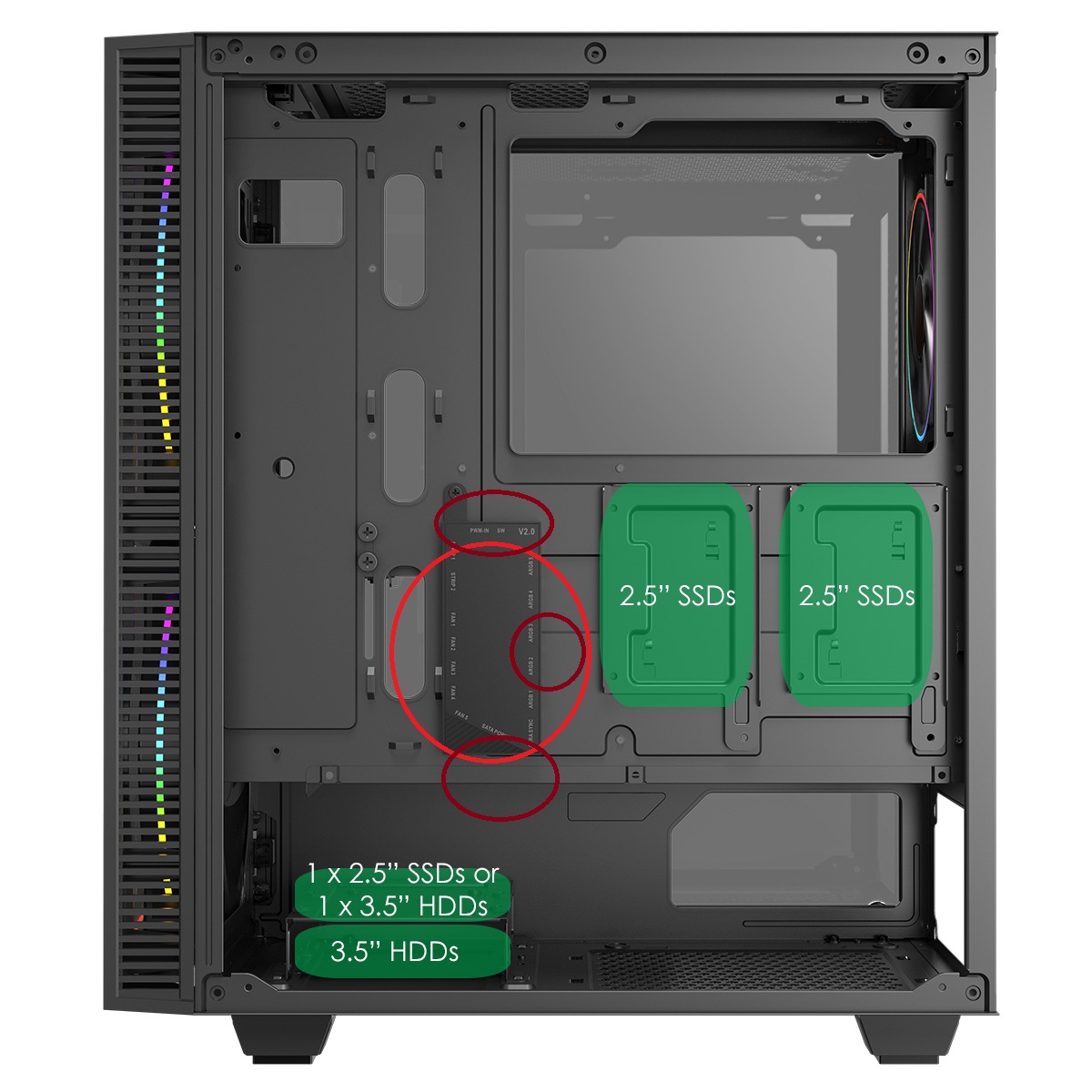
Or you may have a BOX box in the bottom of your case
The underneath of the box looks like this and the fan connectors look as below
The connectors plug in to the side of the BOX to control the fans, the order or side they are plugged in doesn't matter as long as they are are all firmly plugged in
The control cable and power cables for the BOX box, the Red socket is for power and gets its power from a SATA power connector the blue cable is the controller cable
Just make sure all of these cables are plugged firmly in
In particular if one of the lights on one of the fans isn't working trace the cables back to the BOX box and reseat or plug in if necessary
Alternatively you might have a connection card like the picture below with all the fan connectors plugging into it
Or a different type of controller box
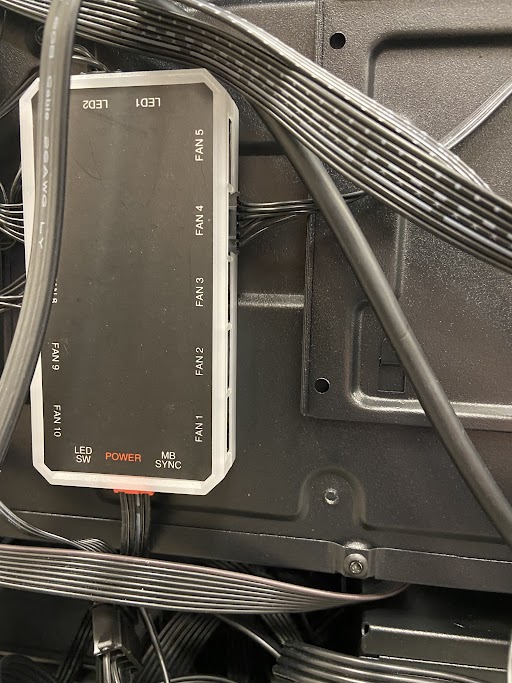
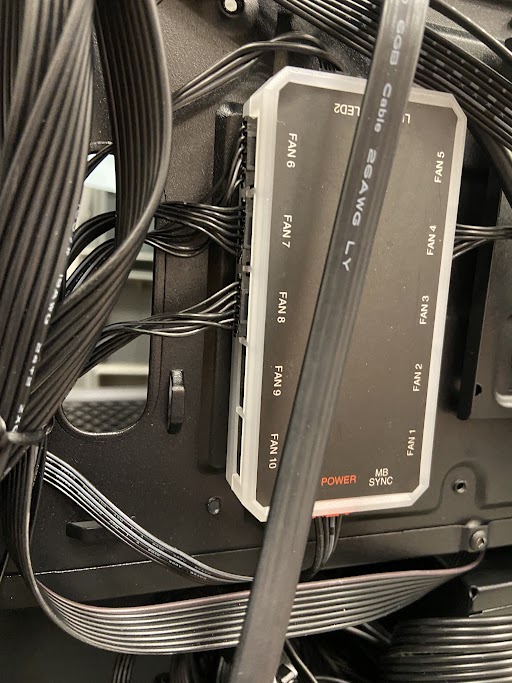
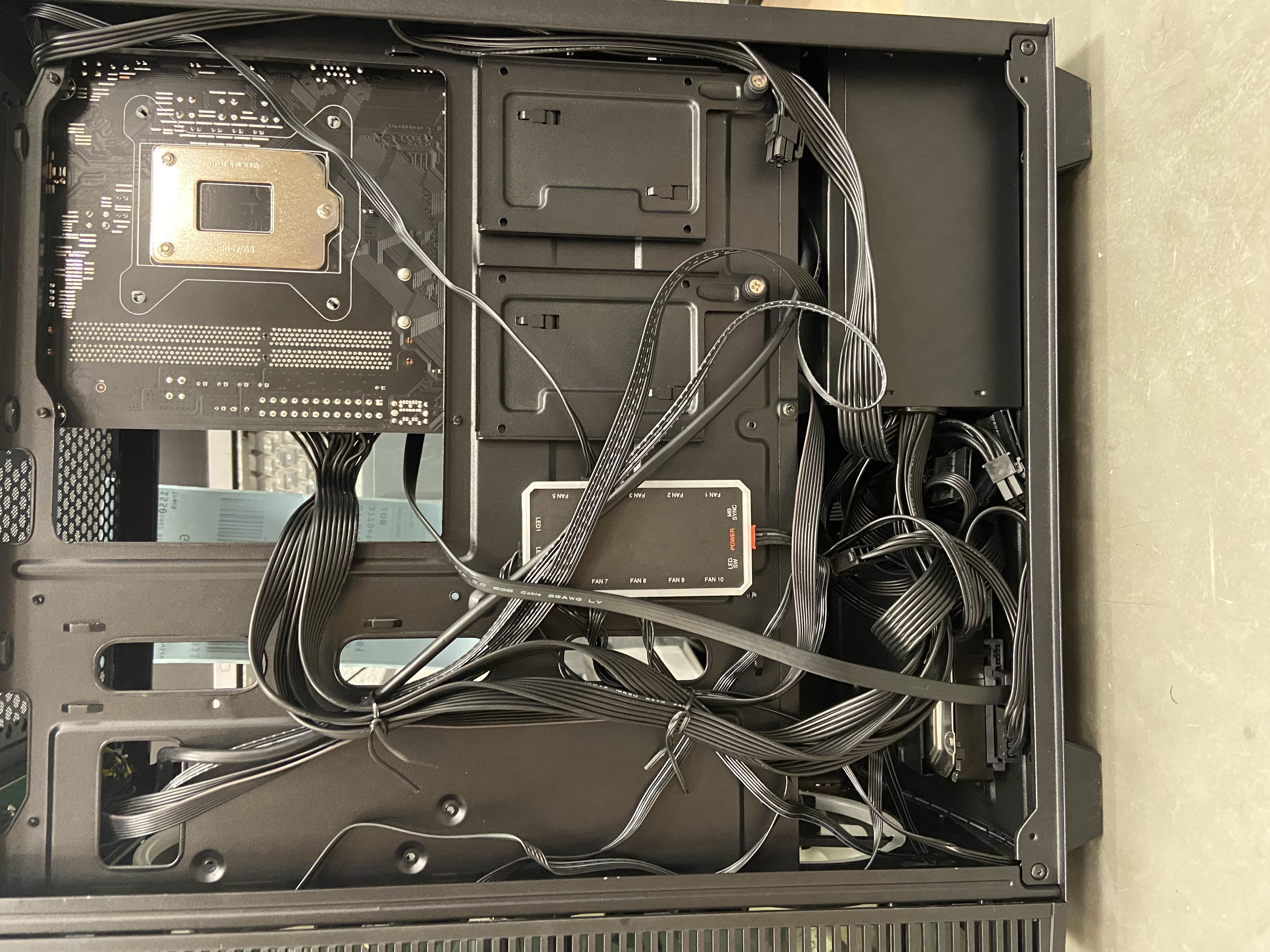
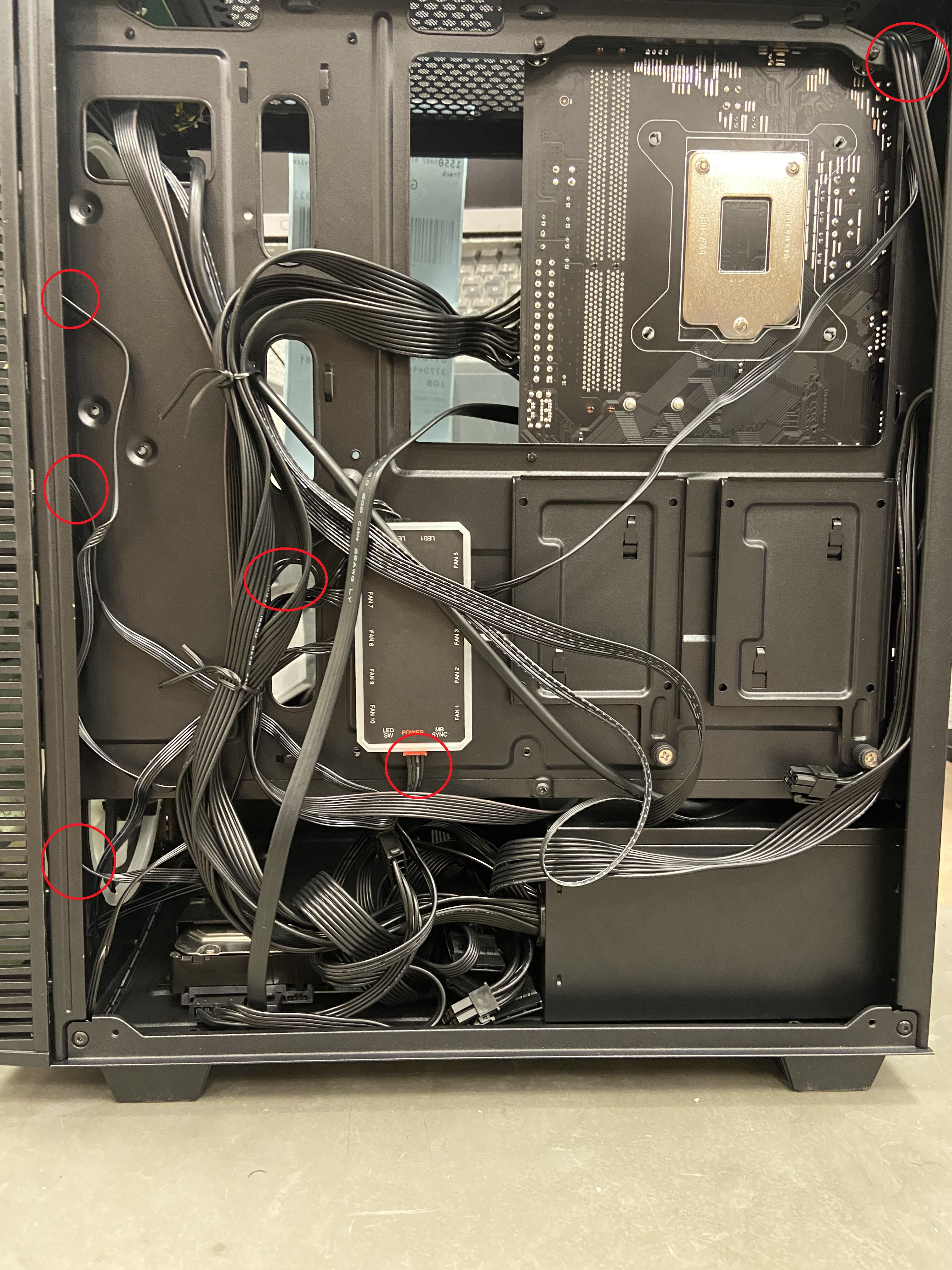
These different looking controller devices are all similar in function, just in different form factors.
With all the different controller types we just need to make sure all the cables are connected snugly.
The best way to check this is to physically unplug the connections then plug them in again, one by one. till you are satisfied that everything is firmly in place.
These steps should fix any issues with the case fan lights for you.
Comments
0 comments
Please sign in to leave a comment.