
Sometimes you may notice stuttering, slowdowns, graphics corruption, or even games failing to launch at all with AMD graphics cards GPU's.
It is important to make sure that your GPU drivers are up to date and cleanly installed so if you are experiencing issues follow the steps in this article to clean out any corrupted or glitching out of date drivers
https://www.support.drmem.com/hc/en-gb/articles/360018204717-Previous-Drivers-1
Even if you only have an AMD card follow the steps to remove Nvidia drivers as well running through the process again to remove AMD drivers.
However if you are still experiencing issues here is small fix to try
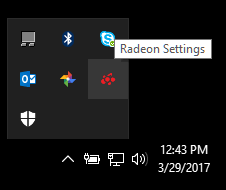
- Right-click on the Desktop or on the little AMD Systray icon )next to your clock) and select AMD Radeon Software.

- In Radeon™ Software, click on Performance and select Tuning from the sub-menu.
3. Click Manual then in Power Tuning click enabled as indicated by the arrow
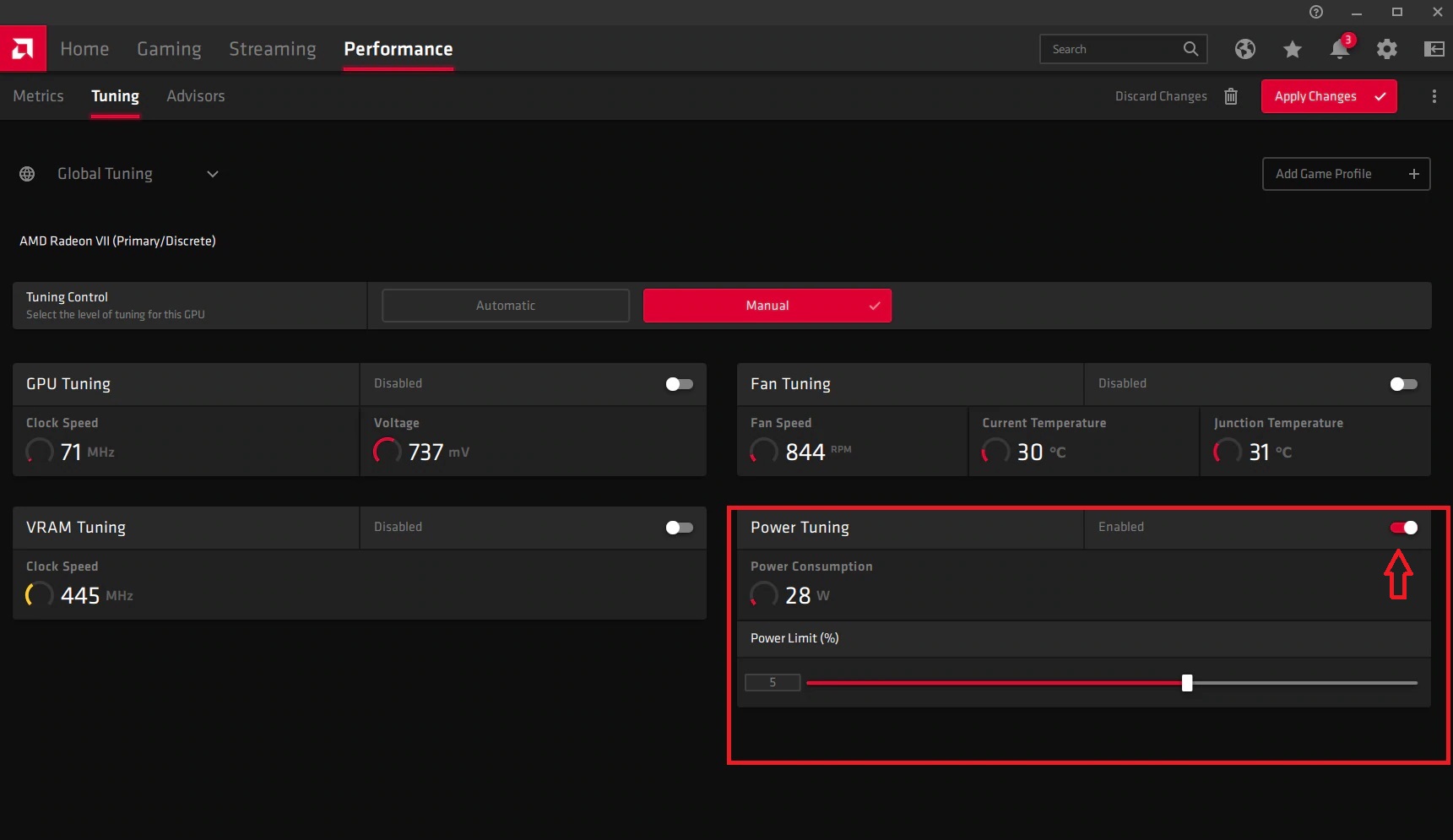
4. Move the Slider across and set the percentage between 20% - 50%, 50% is the maximum.
This setting allows the card to call on as much power as it needs from the power supply.
The default setting is slightly too conservative.
5. Don't change any other settings.
6. Apply the change and exit.
7. Test your games
Comments
0 comments
Please sign in to leave a comment.