
Activation Activated Windows
If your new Windows 10 PC is reporting that it is not activated
We activate our Windows 10 installations remotely with Microsoft.
Sometimes it takes a full working day for the activation servers to update.
So if your PC is still showing not activated after 24hours
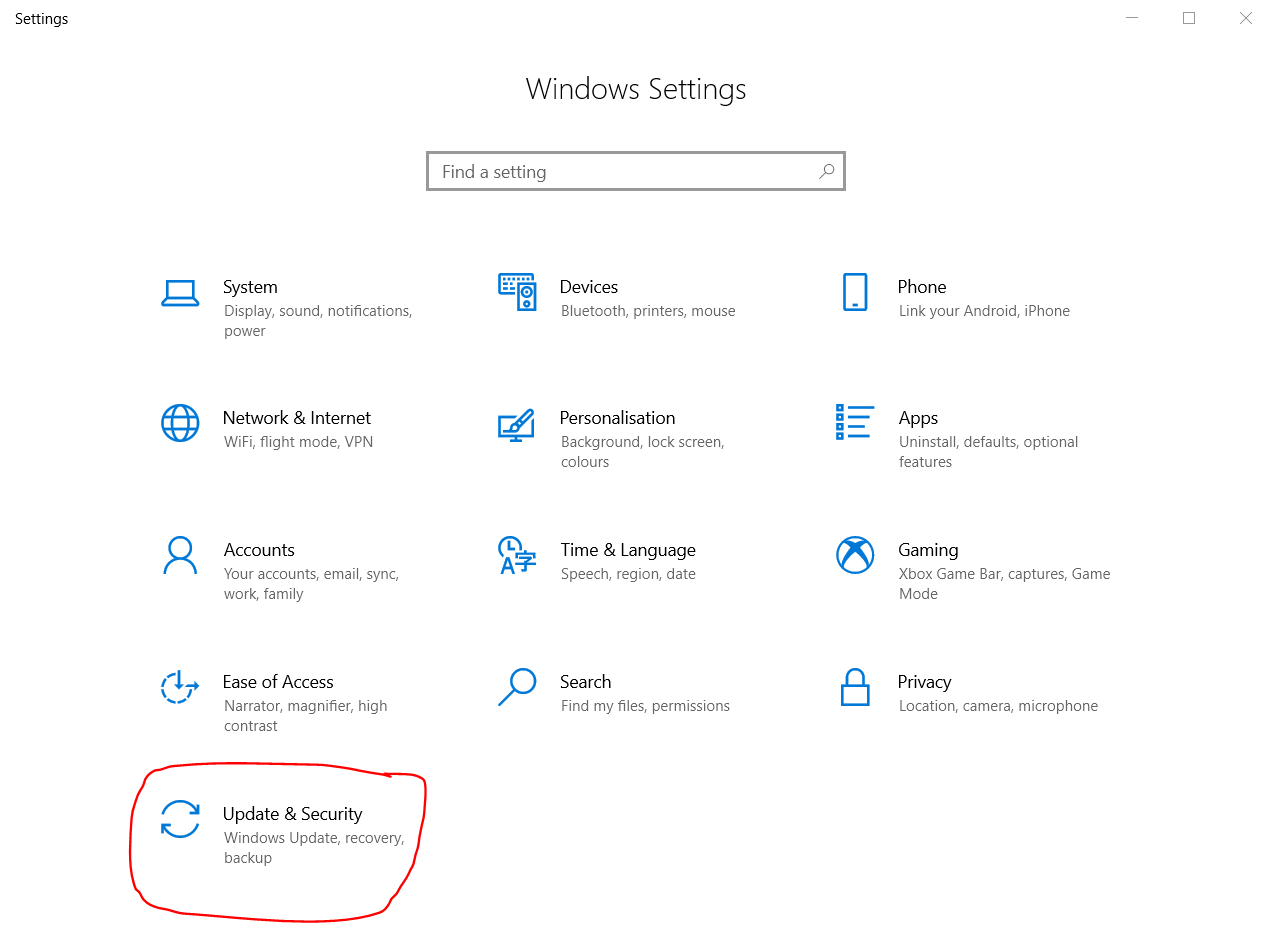
Please click on your Start menu then Settings

Click Update & Security
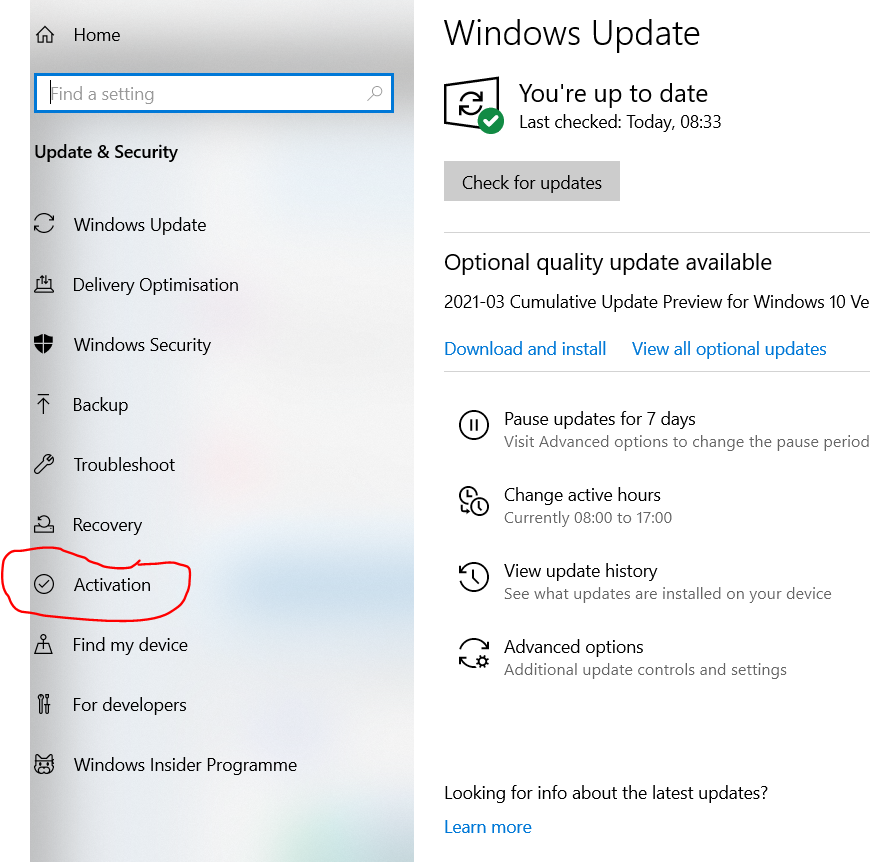
Click Activation
Then Troubleshoot .
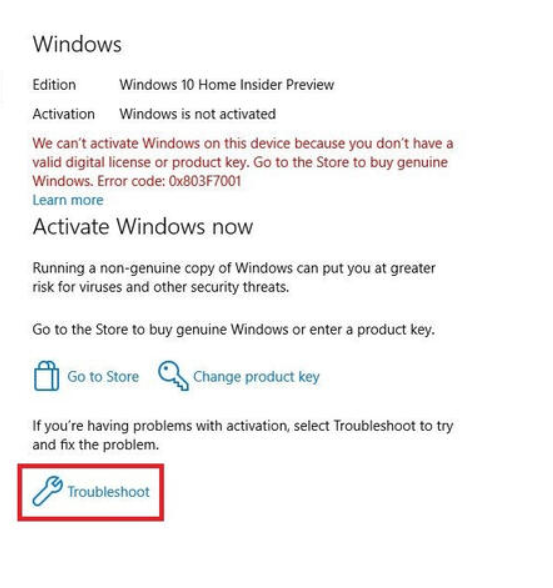
As long as you are connected to the internet the Troubleshoot wizard, should activate windows for you.
If you still cannot activate windows please check in the Documents folder for a file called Winkey
Click on your start menu then click on Documents & double click on the Winkey file
You can use the 25 digit code in this file to activate Windows.
Make sure you are connected to the internet
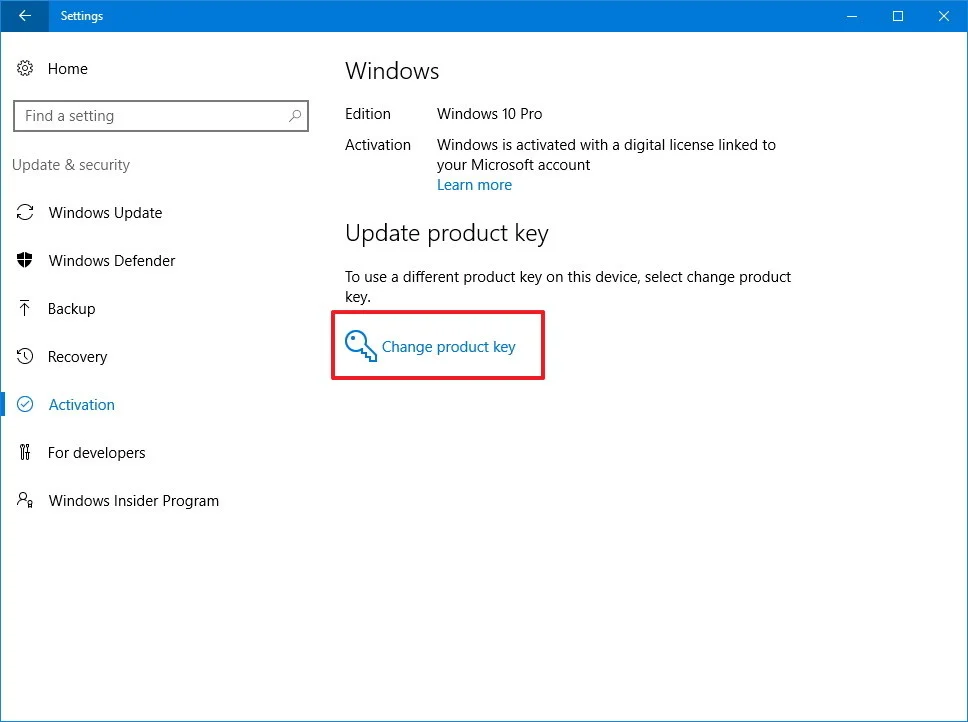
- Open Settings.
- Click on Update & security.
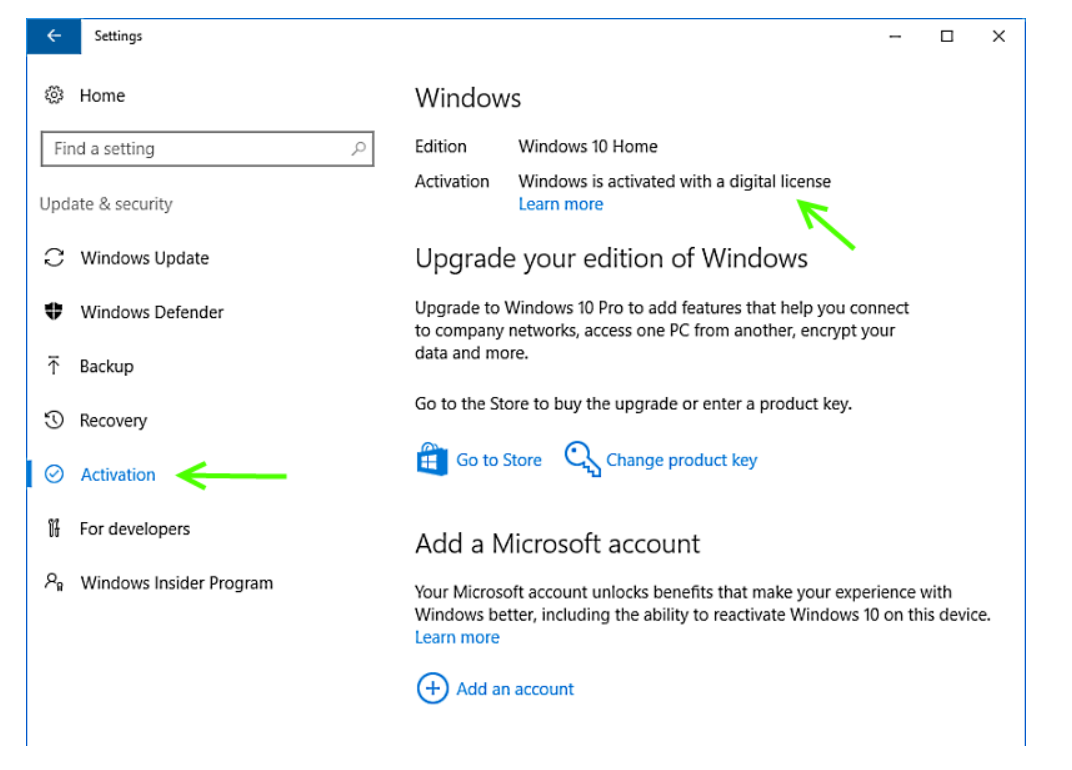
- Click on Activation.
-
Click the Change product key link.
or
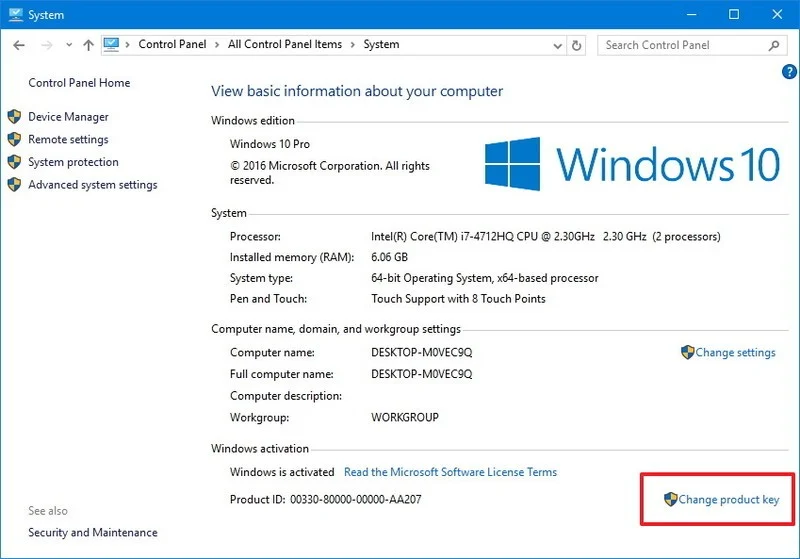
- Use the Windows key + X keyboard shortcut to open the Power User menu and select System.
-
Click the Change product key link under the Windows activation section.
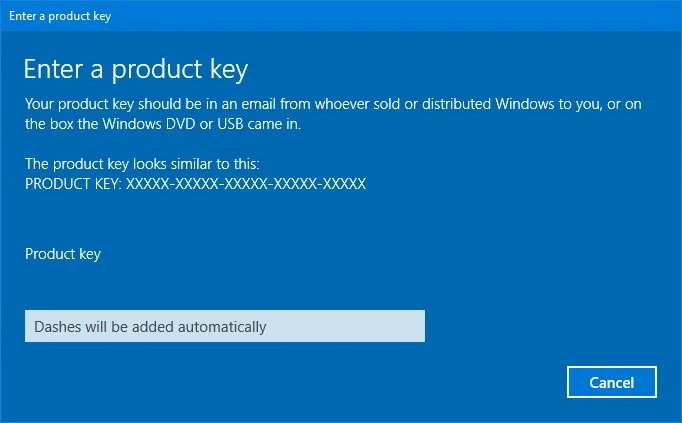
- Type or copy & paste the 25-digit product key.
-
Click Next to complete the process.
When the activation process completes successfully, you'll get the "Windows is activated" message.
If these steps fail please contact us with your PC order number & we will either send you a product key to activate Windows 10
Or we will connect to your PC and activate Windows for you
Comments
0 comments
Please sign in to leave a comment.