
Your PC has a default account username of PC we use this account to install windows on our PC's, but you will most likely want to create your own Account with its own Username & Password
To create your own account, or additional accounts
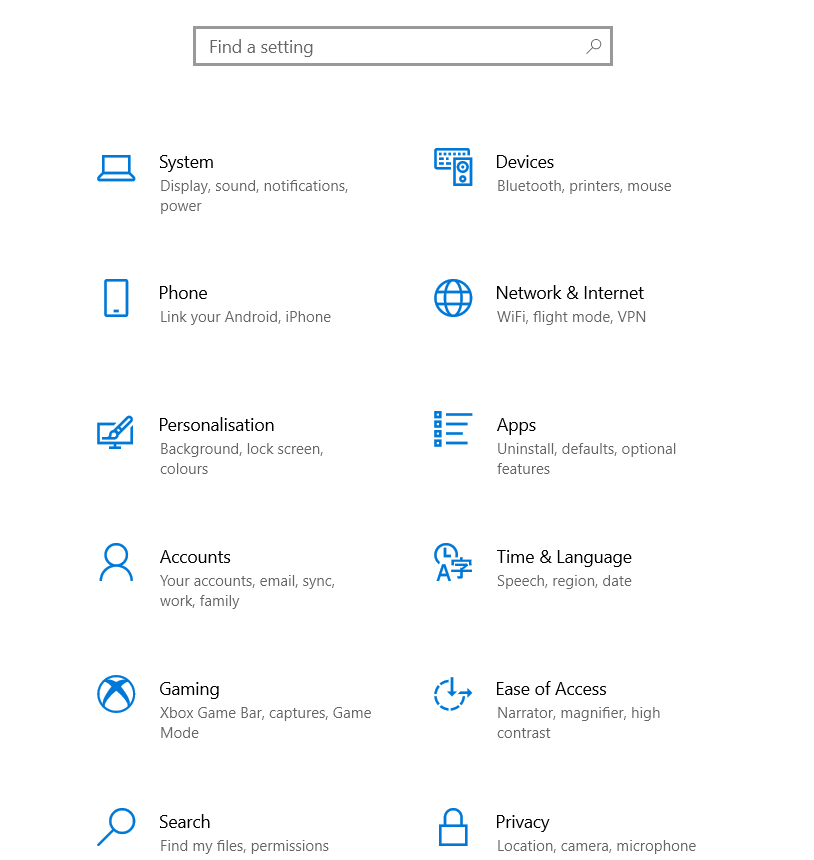
Go to start menu & the settings Cog
then accounts
Then Family & Other Users
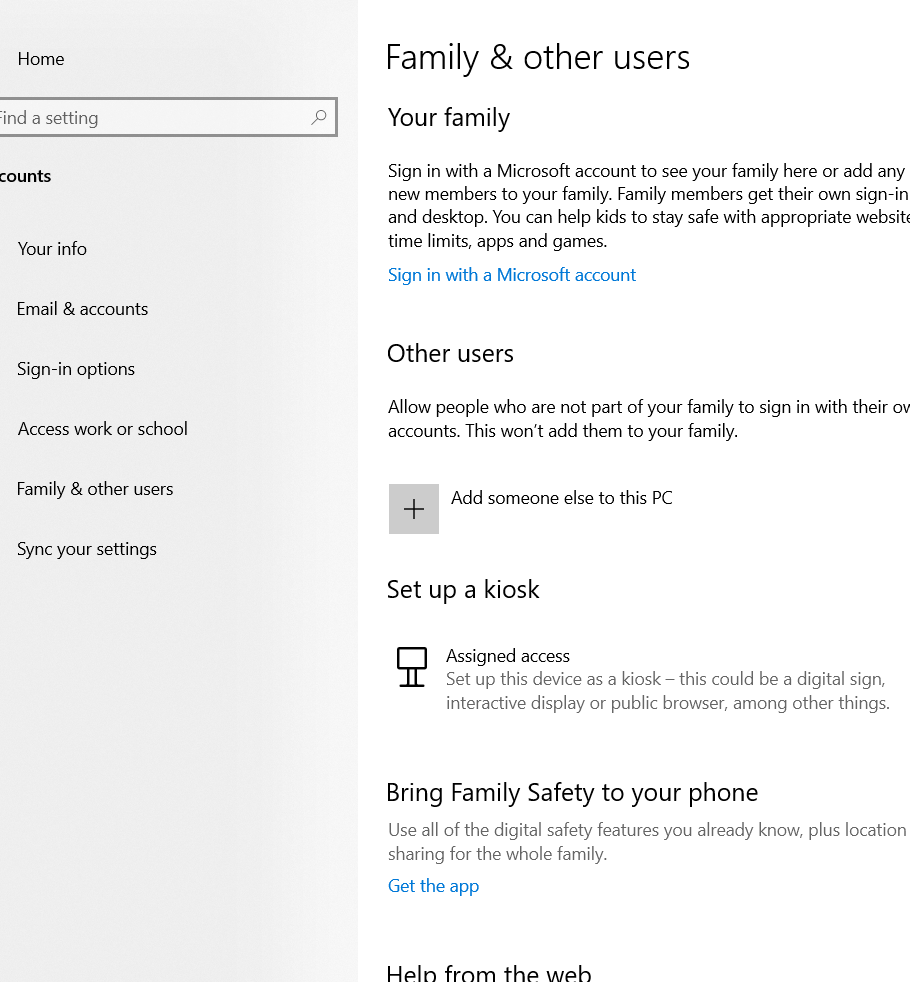
Add Someone Else to this PC
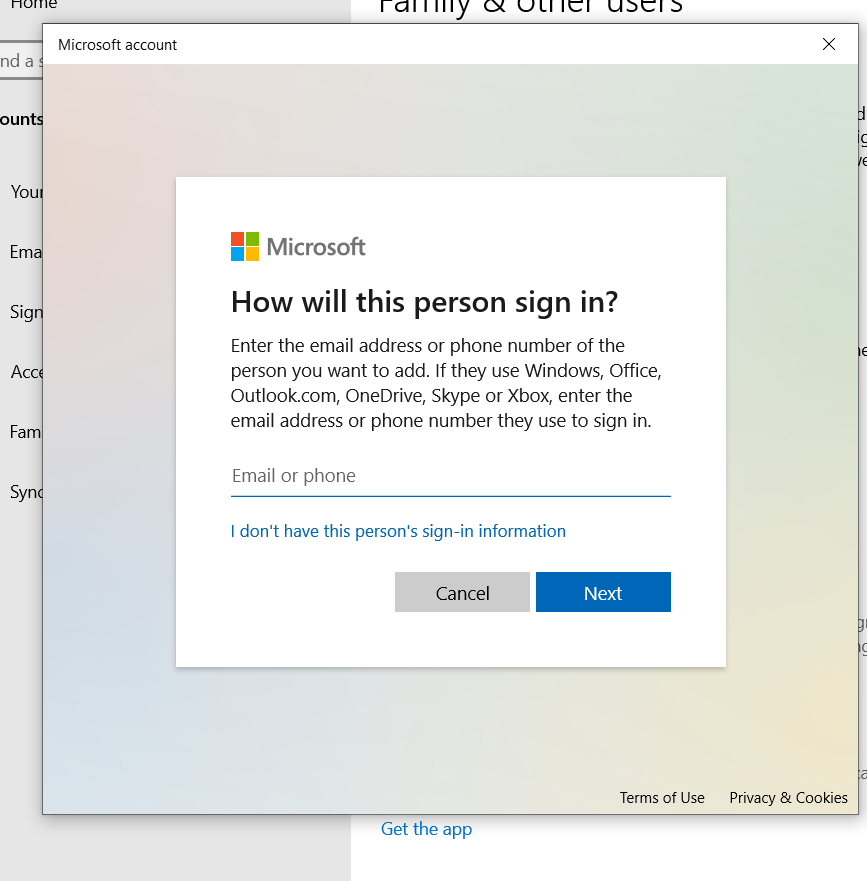
For a local account click I don't have this persons sign in information
Add a user without a Microsoft account
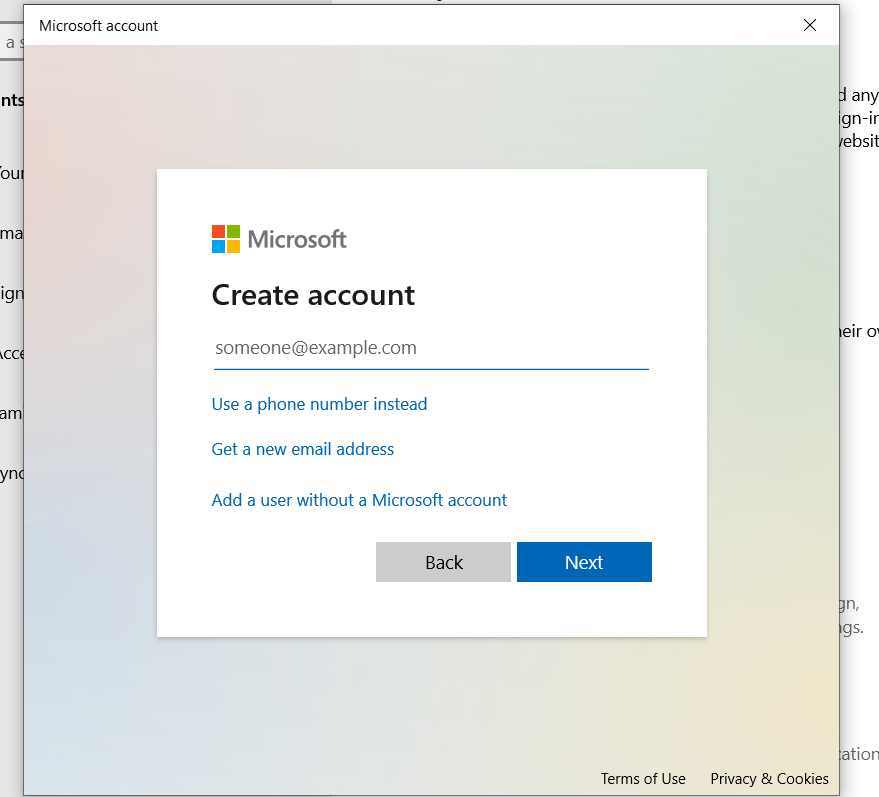
Fill out the fields to create the account
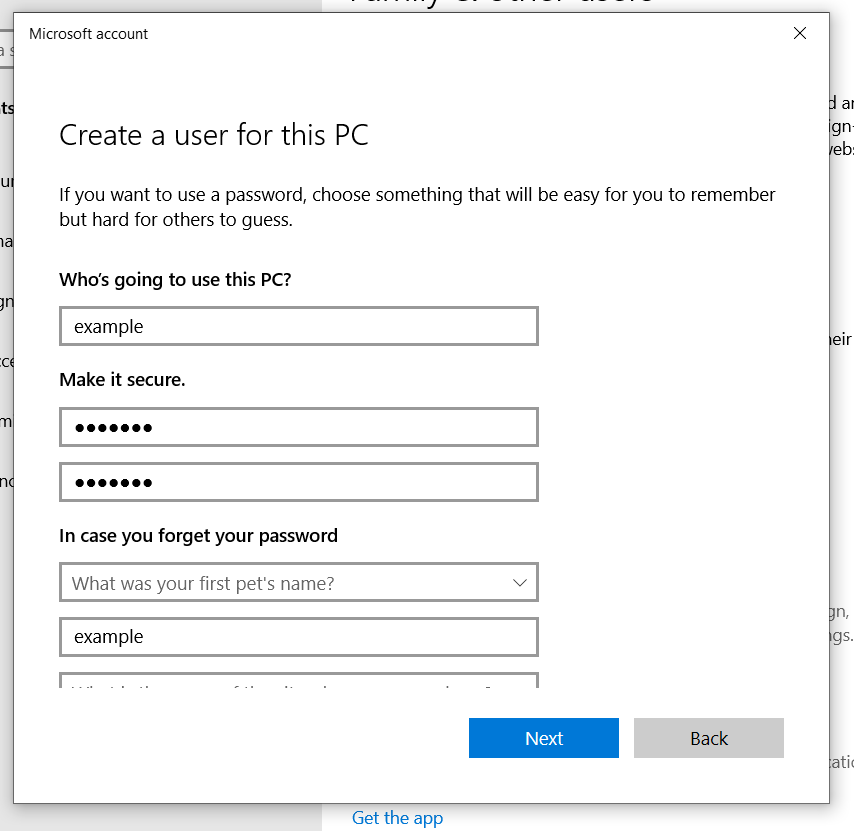
Click next to create the account
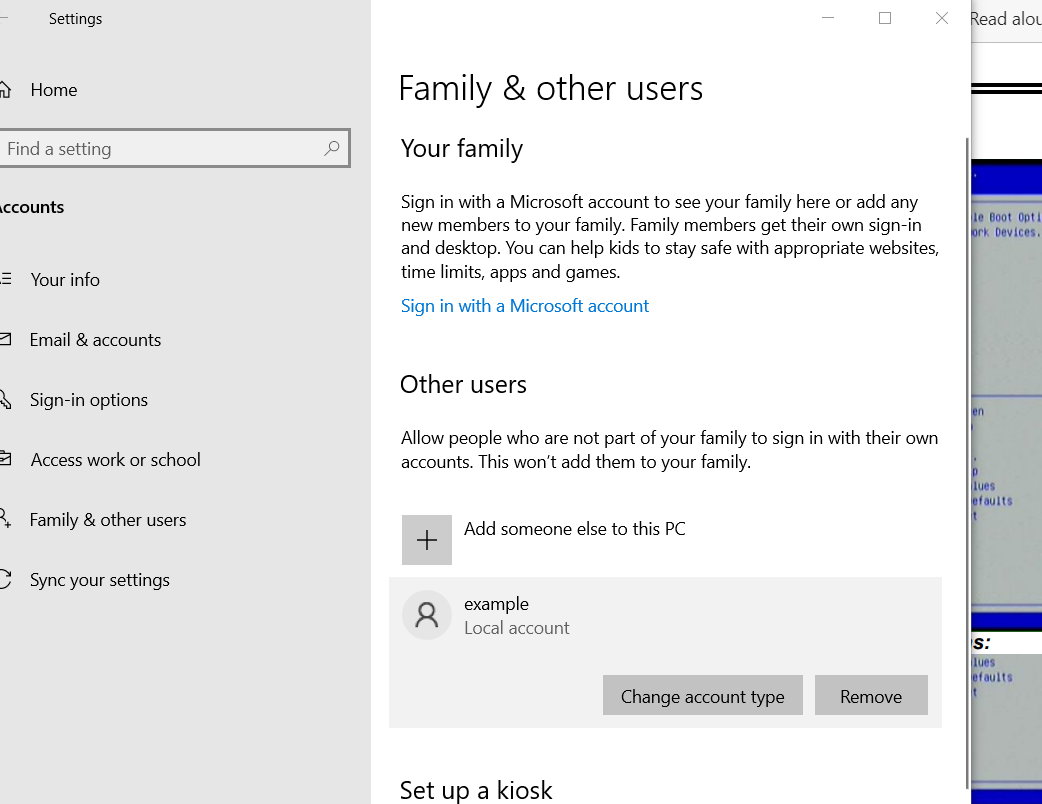
Once created click on the account and Change Account Type
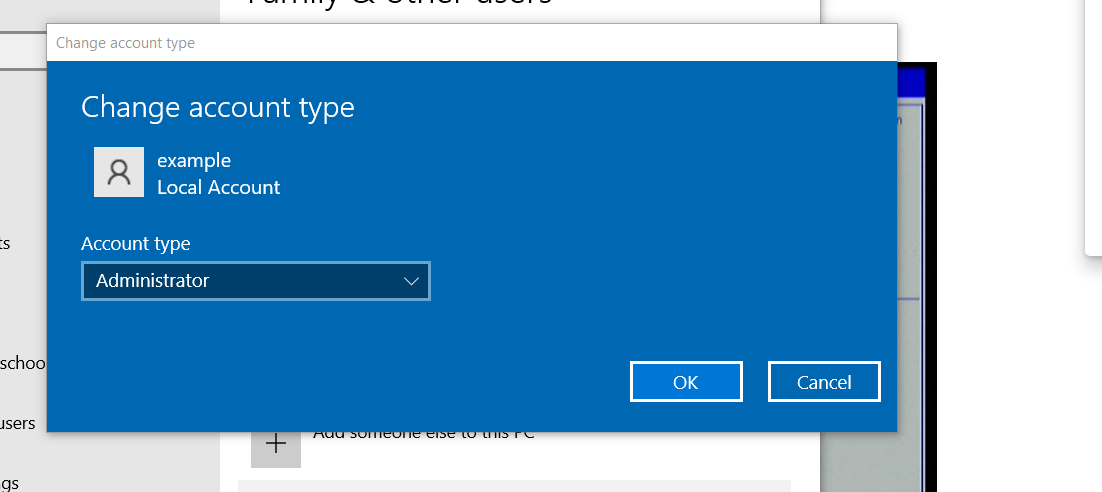
Change account type to Administrator
Reboot and log in to your new account
Delete the old default account if you want to
Comments
0 comments
Please sign in to leave a comment.