
Hello,
We are sorry for the inconvenience.
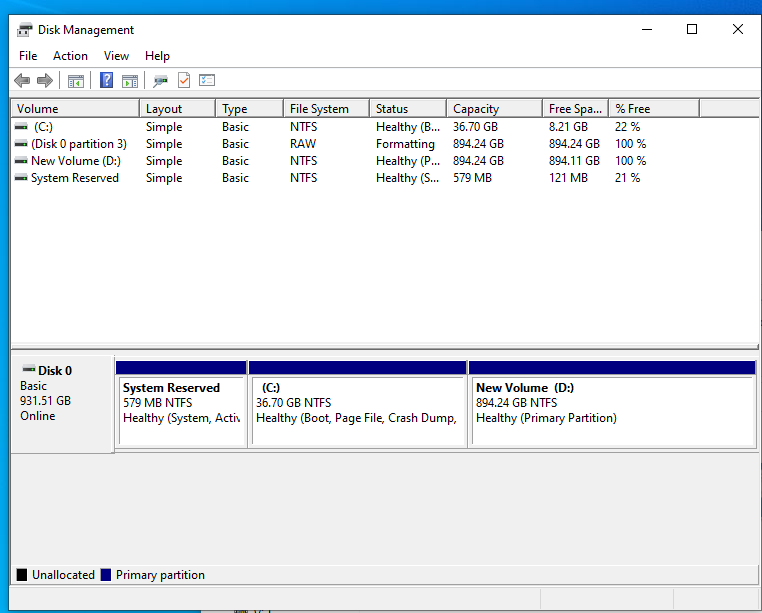
The full capacity doesn't show up in your computer because the drive(s) may be unformatted.
Please follow the instructions below to resolve this issue:
Images attached
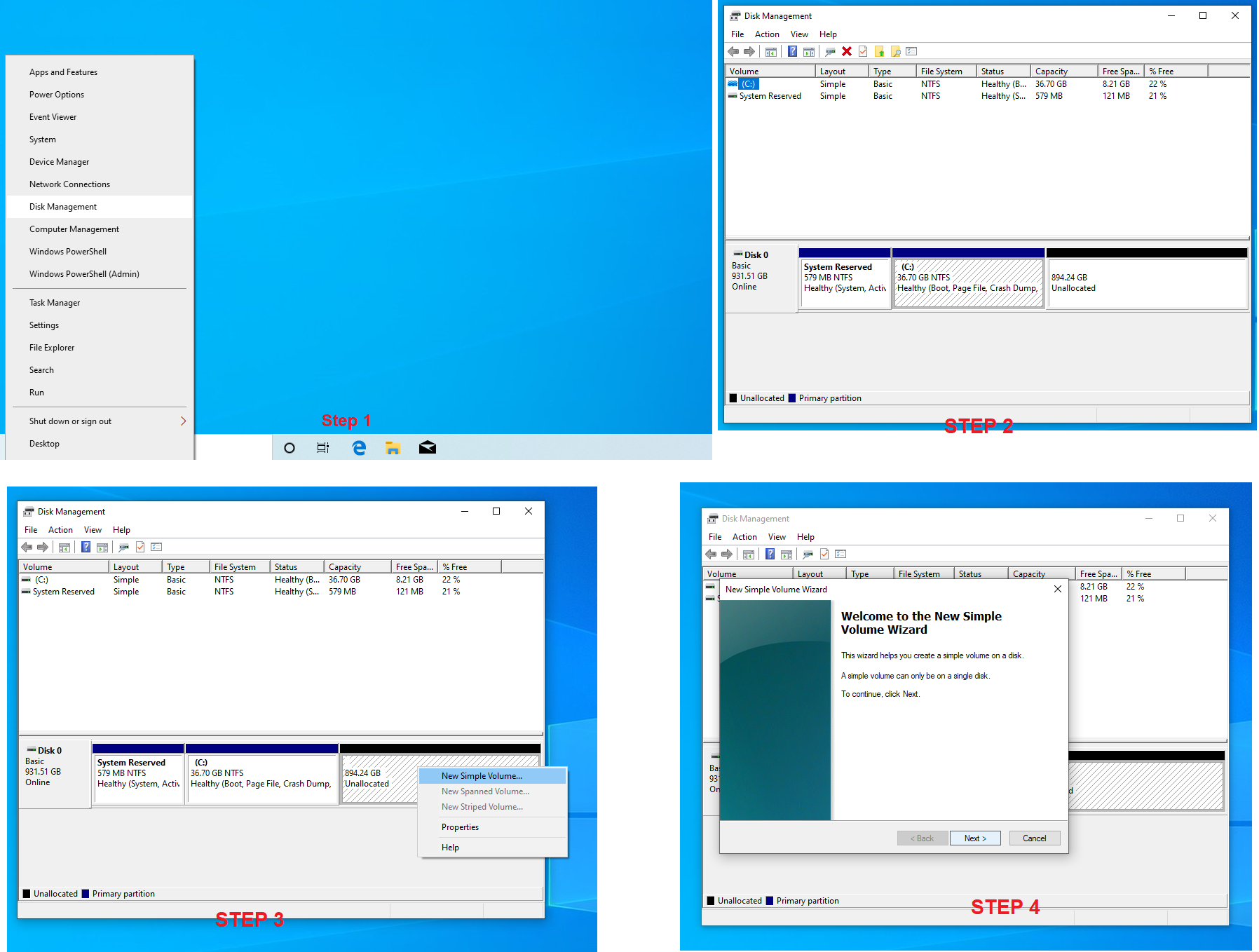
1. Right click "start button", go to "Disk Management" and left click.
2. This will take you to the unformatted HDD/SSD. You should see disk 0 and or disk 1 listed.
3. Right Click the black areas that say "Unallocated" and click "New Volume".
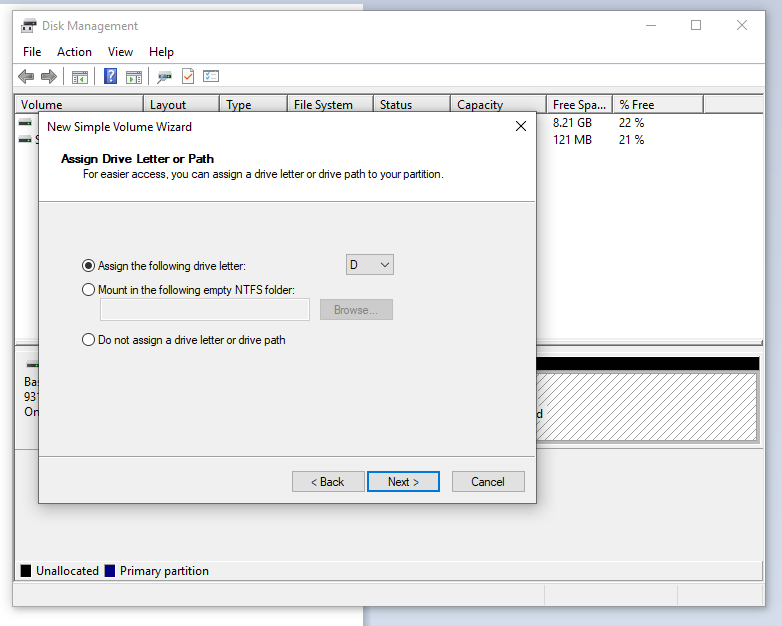
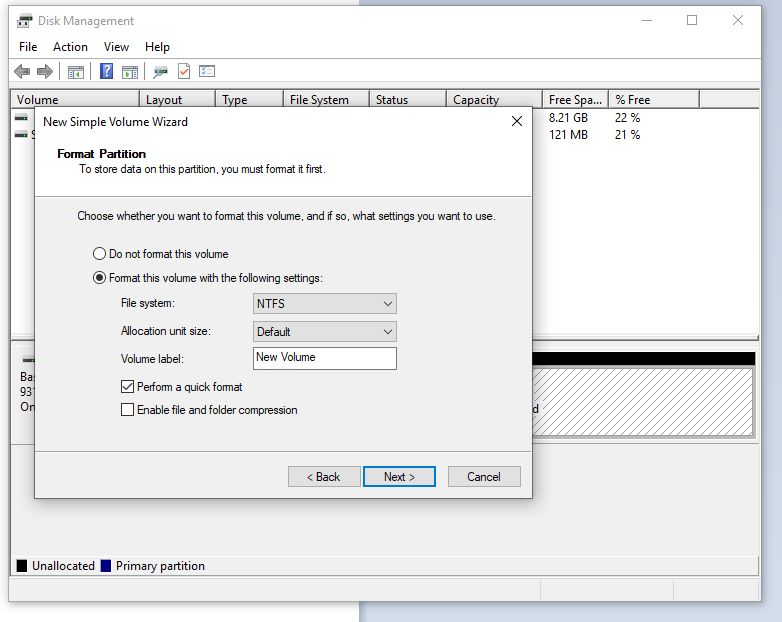
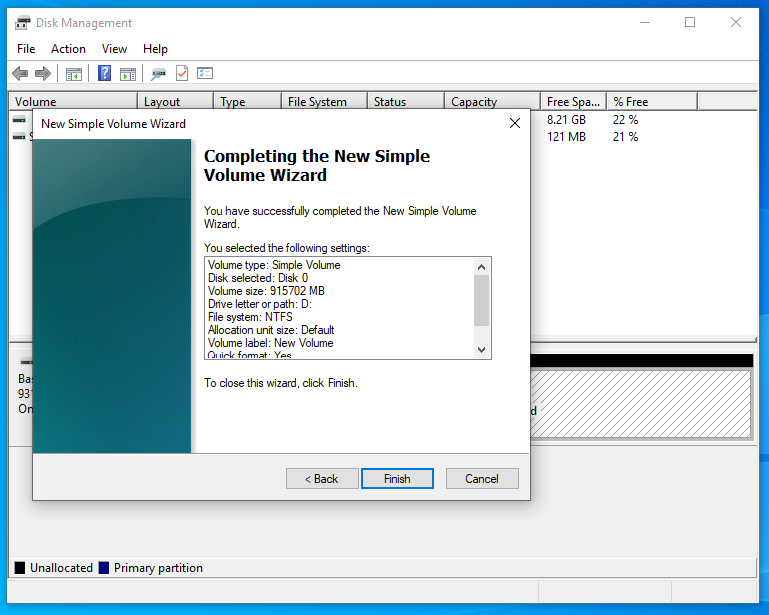
4. Click the "Next >" button four times and then click the "Finish" button.
5. After you have completed these steps you should now have access to the rest of the HDD/SSD capacity.
Comments
0 comments
Please sign in to leave a comment.